Your model name enables you to get information and services specific to your device. The model name and serial number can be found in several locations, depending on the product:
- A label on the back or bottom of the device
- The original packaging and printed instruction manual inside it
- The system menu in products with a user interface (e.g. TVs or cameras)
Click your product category below for help finding your model and serial number for your device. If your device type is not listed, please refer to the documentation or packaging supplied with your product.
What's the difference between a model name and a serial number?
- A model name is a combination of numbers and letters (e.g. KD-55XG9505 or WH-1000XM4).
- A serial number consists of numbers only (e.g. 6007041). It's a unique identifier that designates a single device.
Select your device type
Television
The model name can be found on a sticker on the back of your TV. If you can't check the serial number sticker (e.g. your TV is wall-mounted), check the TV's Settings menu or its original packaging.
Find the sticker on the back of your TV Check the Settings menu Check the original packagingWhat does a TV model name tell you?
Each TV model name is more than just a random sequence of numbers/letters. The name contains model-specific information.
Here are a few examples of correct TV model names:
- KDL-32WD756
- KD-75XE9405
- KD-65AF9
- XR-55A95L
- K-55XR80
- The first part of the model name (before the hyphen) indicates the TV product category.
- The numbers right after the hyphen indicate the screen size in inches (e.g. 32, 75 or 65).
- The final sequence of letters and numbers (e.g. WD756, XE9405, AF9, A95L or XR80) conveys a certain production series, which is important for support and repair purposes.
- The last letter can indicate a variance in the colour of the bezel and frame or stand.
- The availability of models may depend on your country or retailer.
NOTE: When searching for information on Sony's support site, please use the TV's model name to find the page dedicated to your model.
Projectors
The model name and serial number can be found on the product sticker label on the back or the bottom of the projector
For some projectors, it is possible to find the model name and serial number in the menu by following the steps below. This is especially helpful if the projector's model name and serial number label is unreadable or not accessible.
- Turn on the projector.
- On the supplied remote control, press the MENU button.
- Press the up arrow or down arrow buttons to select Information.
- Press the Select button to display the model name and serial number.
Original packaging
The seven-digit serial number is usually printed on the original box of your headphones.
On the headphones or case
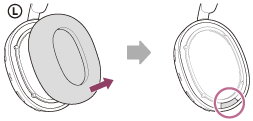
Depending on your headphone type, you can also find the model name and serial number on the product itself.
Need help locating it?
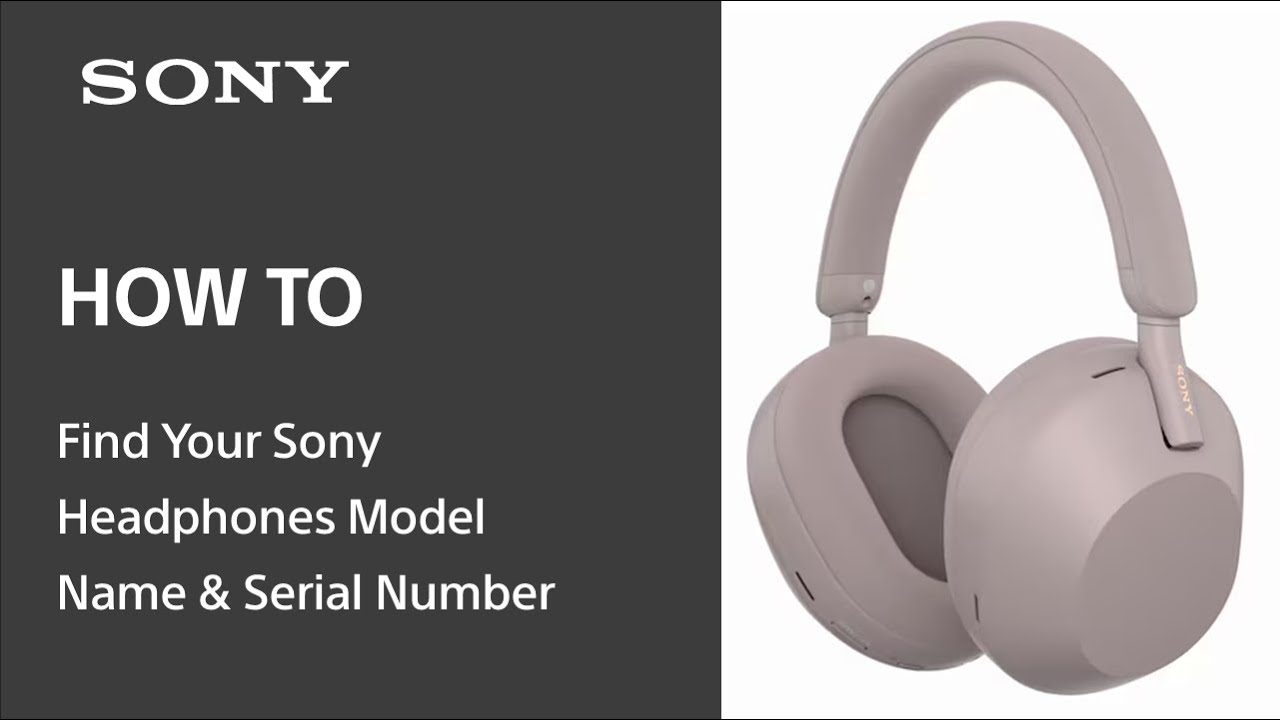
Watch the video below for a step-by-step guide to finding your headphone’s model name and serial number.
What if my model name starts with "YY"?
Some products have two model names. Always use the name starting with WH, WF, or WI when registering or seeking support.
If your product only shows a model code starting with "YY", refer to the Model name vs. Model code article to find the corresponding WH, WF, or WI model name.
Headband Headphones
Truly Wireless Headphones
Gaming Headset
Off-ear Headphones
In-ear Headphones
What if I still can't find a serial number?
Some headphone models do not have a serial number printed on them.
Cameras & Camcorders
The serial number and model name can be found on the bottom of the camera or the label on the original box.
Bottom of the camera
The serial number and model name of your camera or camcorder can be found on the bottom part of the device.
- Model name (e.g. ILCE-9, NEX-5, DSC-W270 or DCR-SX15E)
- Serial number
Digital Still Camera
Camcorder
Alpha (α) DSLR Camera
Original box
The serial number and model name can also be found on the label on the original box. The serial number location is highlighted in red in the image below.
Lens
- Model name (e.g. SEL135F18GM or SEL2470GM)
- Serial number
Other digital imaging devices
- Digital printers and photo frames: The model name and serial number are located on the back or bottom of the unit (e.g. DPF-D810).
- Digital photo storage: The model name and serial number are located on the bottom of the unit (e.g. VRD-MC6).
Xperia phones
How to find the model name
Follow the steps below to find your model name in your phone's Settings.
- Go into
Settings.
- This step may vary depending on the Android version of your phone. Go to About phone. If you can't see this option, go to System → About phone.
- The model name is usually listed among the phone information under 'Model' (e.g. 'Model: L4113' corresponds to Xperia 10).
How to find the IMEI number
The International Mobile Equipment Identity (IMEI) number is a unique identification or serial number that your mobile device has. Use either of the following methods below to find your IMEI number.
1. Use the phone dialer
Follow the steps below to find your IMEI number and model name using the phone dialer.
- From your Home screen, tap the phone dialer icon.
- Find and tap the dial-pad icon.
- Type the following code: *#06# to access the IMEI information.
2. Use the Support app
Follow the steps below to find your IMEI number and model name using the Support app.
- From your Home screen, tap the Application screen icon.
- Find and tap
the Support app.
- You can find your IMEI number under the Device Information section.
3. Check your phone's Settings
Follow the steps below to find your IMEI number in your phone's Settings.
- Go into
- The next step depends on the Android version of your phone. The path might differ on older Android versions.
- System → About phone.
- About phone → Status → IMEI information.
- The IMEI number is listed among the phone information.
4. Check your phone's original box
You can find your IMEI and model name printed on the label on the original box of your phone.
How can I find the IMEI number if my phone doesn't start?
On some Xperia phones, the IMEI number is printed on a label strip inside the SIM or memory card slot.
IMPORTANT: Xperia phones do not require a SIM eject tool. Gently insert your fingernail into the gap in the SIM/memory card tray and pull the tray straight out. Do not insert an ejection tool, pin, paper clip or other pointed object into any nearby hole, as this may damage the microphone.
NOTE: The location of the IMEI number may vary by model.
- Pull out the SIM/memory card tray as described above.
- If there is an IMEI label strip inside the slot, use your fingernail to pull it out.
- On phones with a removable back cover, the IMEI number is located under the back cover.
Tablets
The model name and serial number location is shown in the image below.- Model name (e.g. SGPT121DE/S or SGPT113BE/S)
- Serial number
Tablet S

The model name is located on the back of the unit in the bottom-left corner (e.g. SGP-T112US/S).
Tablet P

Gently remove the bottom/back cover. The model name is in the top-left corner, inside the compartment (e.g. SGP-T211US/S).
Xperia Tablet

The model name is on the back of the tablet, as shown in the image (e.g. SGP-T121US/S).
Receivers & Amplifiers Soundbars & Subwoofers Wireless speakers (including neckband) Walkman, Hi-Fi & Radio
Hi-Fi receivers & amplifiers
The model name and serial number are located on the front or back of the unit.
- Model name (e.g. STR-DE597 or STR-DN610)
- Serial number
Media streaming devices
The model name is located on the front or bottom (e.g. SMP-N100).
Soundbar
The model name and serial number are located on the bottom or back of the unit.
- Model name (e.g. HT-CT790 or HT-S350)
- Serial number
HT-S60 / System 6 Soundbar
For this model, the main serial number is located on the subwoofer, not on the soundbar. Find detailed instructions here: Where to find the serial number on the HT-S60 / System 6 Soundbar.
Subwoofer
The serial number and model name of your subwoofer are typically located on a sticker on the rear of the unit.
Example: SA-SW3 subwoofer
Check the sticker located at the bottom of the back side of the subwoofer, just below the AC inlet [4].
Wireless speakers
You can usually find the model name (e.g. SRS-HG1) and serial number on the bottom of the wireless speaker.
Wireless neckband speakers
The serial number is printed under the USB Type-C port. Open the cap on the R-ch (Right-channel) side and check the serial number printed under the USB Type-C port, as shown in the image below (model HT-AN7):
WALKMAN
The model and serial number are usually found on the back of the unit, as shown in the image below.
- Model name (e.g. NWZ-W252, NW-E003F)
- Serial number
Waterproof WALKMAN
Examples of correct model names: NW-WS623, NW-WS413.
The model name and serial number of Waterproof WALKMAN models are usually located close to the earbuds on both sides of the unit, as shown in the illustration below.
Clock radios
The model name is located on the front of the unit (e.g. ICF-C707)
.Mini / Micro bookshelf systems

The model name (e.g. MHC-EC68PI) is located on the front of the main player, not the speakers, as they have their own model name.
Boomboxes
- The model name and serial number are located on the bottom of the product.
- The model name (e.g. CFD-S70 is written on the outside.
- The serial number label is located inside the battery compartment cover. Open the battery compartment cover to locate the serial number.
Docking stations
The model name is located on the front or bottom (e.g. RDP-XF100iP).
Remote controls Blu-ray Disc players Gaming Monitors & Computers Car audio & GPS
Remote controls
The model name is located on the bottom or top front of the controller (e.g. RM-EZ4).
Blu-ray Disc player
The model name (e.g. BDP-S580) is located on the front and back of the player. The serial number is located on the product sticker on the back, as shown in the image below.
- Model name
- Serial number
Blu-ray Disc home theatre
The model name is located on the front of the main player (e.g. BDV-E500W).
Internet TV Blu-ray Disc player
The model name is located on the front and bottom (e.g. NSZ-GT1)
Blu-ray Disc portable player
The model name is on the front near, or on, the disc compartment cover (e.g. BDP-SX1000)
Gaming monitors
The model name and serial number can be found on the back side of the gaming monitor, as shown in the images below.
- A: Model name (e.g. SDM-U27M90, also known as INZONE M9).
- B: Serial number.
For more information about your Gaming Monitor, visit INZONE Gaming Monitor: Frequently Asked Questions (FAQ).
Laptop computers
The method for finding the model name depends on when the product was released. Please click the appropriate link below.
For laptop computers released 2010 or later For laptop computers released Summer 2009 For laptop computers released between Fall 2000 and Spring 2009 For laptop computers released before Summer 2000


VAIO® Tap 20
The model name is on the rear, right-hand side (e.g. SVJ-202190X).
VAIO® Duo
When the computer is propped open, the model name is on the right-hand side behind the screen (e.g. SVD-11213CXB).

Desktop computers
Desktop computer model names begin with the letters: "PCV", "VGC", "VPC" or "SVJ", and are located on a small label on the front of the main computer unit (case or tower).
- Locate the small sticker on the front of the tower (e.g. VGC-RC210G).
- On All-In-One desktop computers, the number is located on the right front of the computer (e.g. VPC-L137FX).


NOTE: The "model" number listed on the gray sticker on the back of the computer will not give you the correct information.
Alternatively, you can find your model in the following ways:
Via (My) Computer Via VAIO CareAudio Receivers
Model name
The model name is located on the faceplate (e.g. CDX-GT200).

Serial number
The serial number is located on the bottom plate of the car audio unit. It is not directly accessible, as shown in the pictures below. Should you need to know the serial number, it is advised to have the car audio unit removed from the car stereo slot by a specialised installer.
Serial number location on the bottom plateSpeakers/Accessories:
The model name and the serial number are located on the packaging and in the manual (e.g. XS-LD126P5).
GPS
The model name is located on the back, bottom or in the antenna compartment (e.g. NV-U74T).
Voice recorders Readers PlayStation Professional products
Digital Voice Recorders
Depending on the model, you can find the model name and serial number of your digital voice recorder either on the back or at the bottom of the unit.
ICD-SX2000
- Model name (ICD-SX2000)
- Serial number
ICT-TX800
- Model name (ICT-TX800)
- Serial number
Reader
The 7-digit serial number is located on the Product ID label on the box. Its location is indicated in the image below.
PRS-T1, T2
If applicable, carefully remove the optional cover (PRSA-CL10) or cover with light (PRSA-CL22). The 7-digit serial number is located on the rear cover of the unit.
PRS-T3
Carefully remove the cover or optional cover with light (PRSA-CL30). Please refer to the chapter “Removing/attaching the Standard Cover” in the user guide. The 7-digit serial number is located on the rear cover of the unit.
Professional products
Please visit Sony Professional Products for more information on the following categories:
- Professional Cameras
- Broadcast & Production
- Projectors
- Professional Displays
- Archiving & Content Management
- Audio
- Smart Systems
- Medical